Glyph
Learning motion design through interaction, not generation.
- Role
- Product concept, UX, interaction design, technical prototyping
- Timeline
- 2026
- For
- SVSD Sprint
- Status
- Concept
Overview
Glyph breaks animations down so beginners can learn them.
Glyph is an interactive learning tool that helps beginners understand the craft of motion design by breaking down animations into keyframes, timing, and easing curves. Rather than relying on AI to generate motion, Glyph encourages hands-on experimentation and learning through play.
Co-created and submitted for the Silicon Valley School of Design (SVSD) Sprint, I worked on the product concept, UX design, interaction design, and technical prototyping.
Research
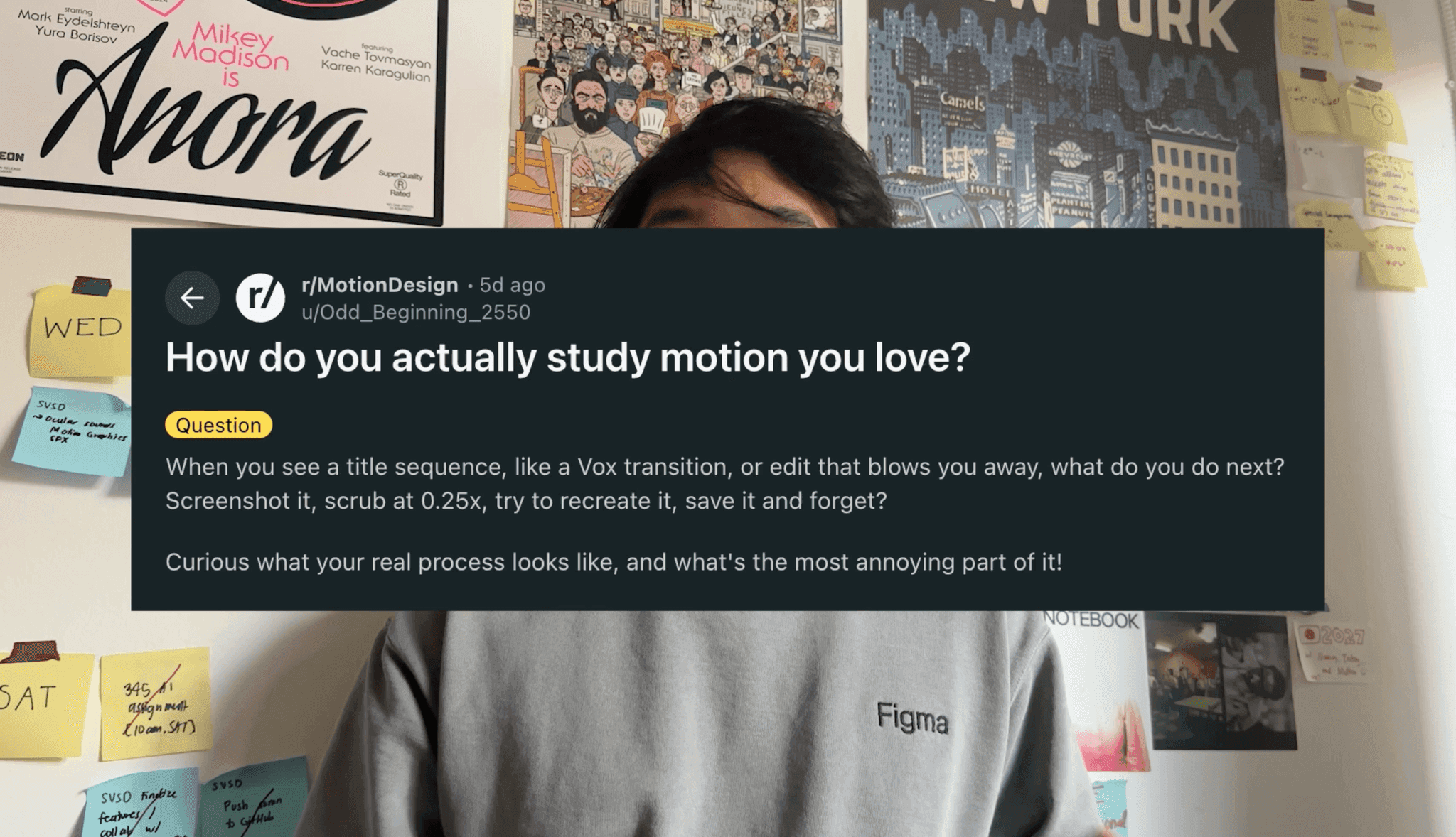
How do you actually study motion you love?
I asked motion designers how they learn from work they admire. Most save clips, scrub them frame by frame, and try to rebuild them, with no tool made for that.
The question
Asking r/MotionDesign how people study motion
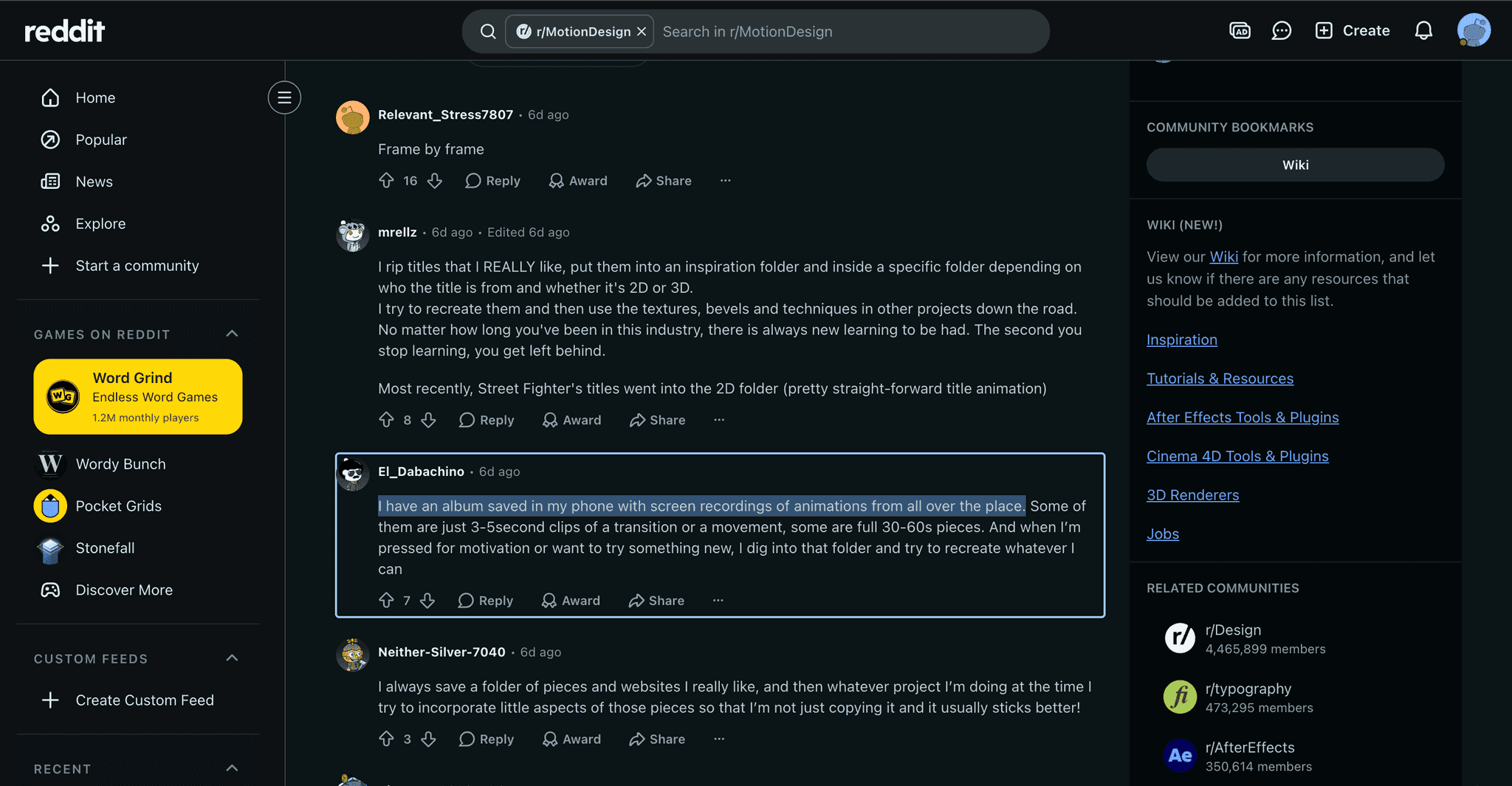
Replies
Designers keep albums of screen recordings to recreate
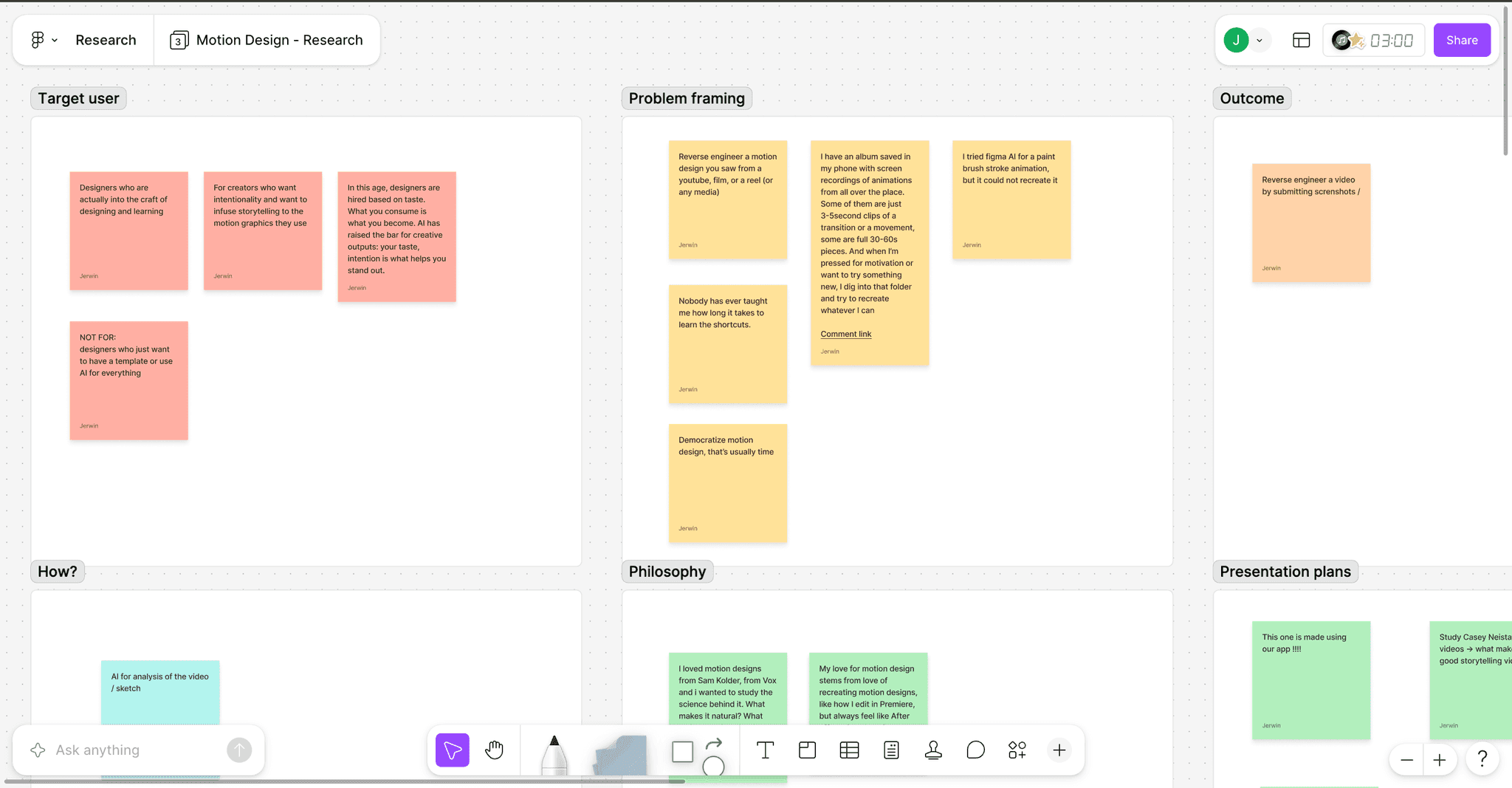
Synthesis
Target user, problem framing, outcome and philosophy
Mobile concept
Study it, sketch it, rebuild it.
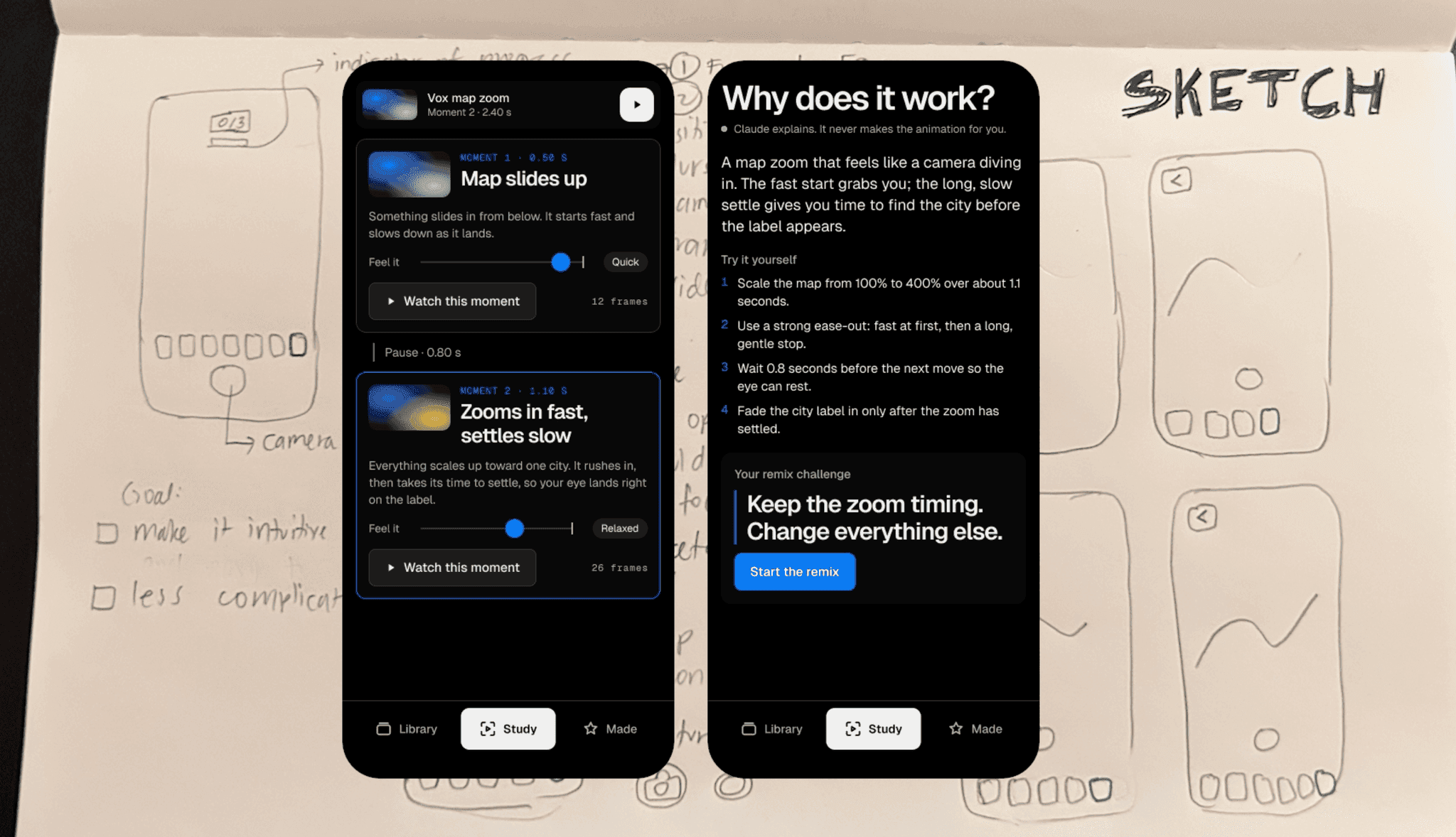
Study
See why a moment works, then remix its timing
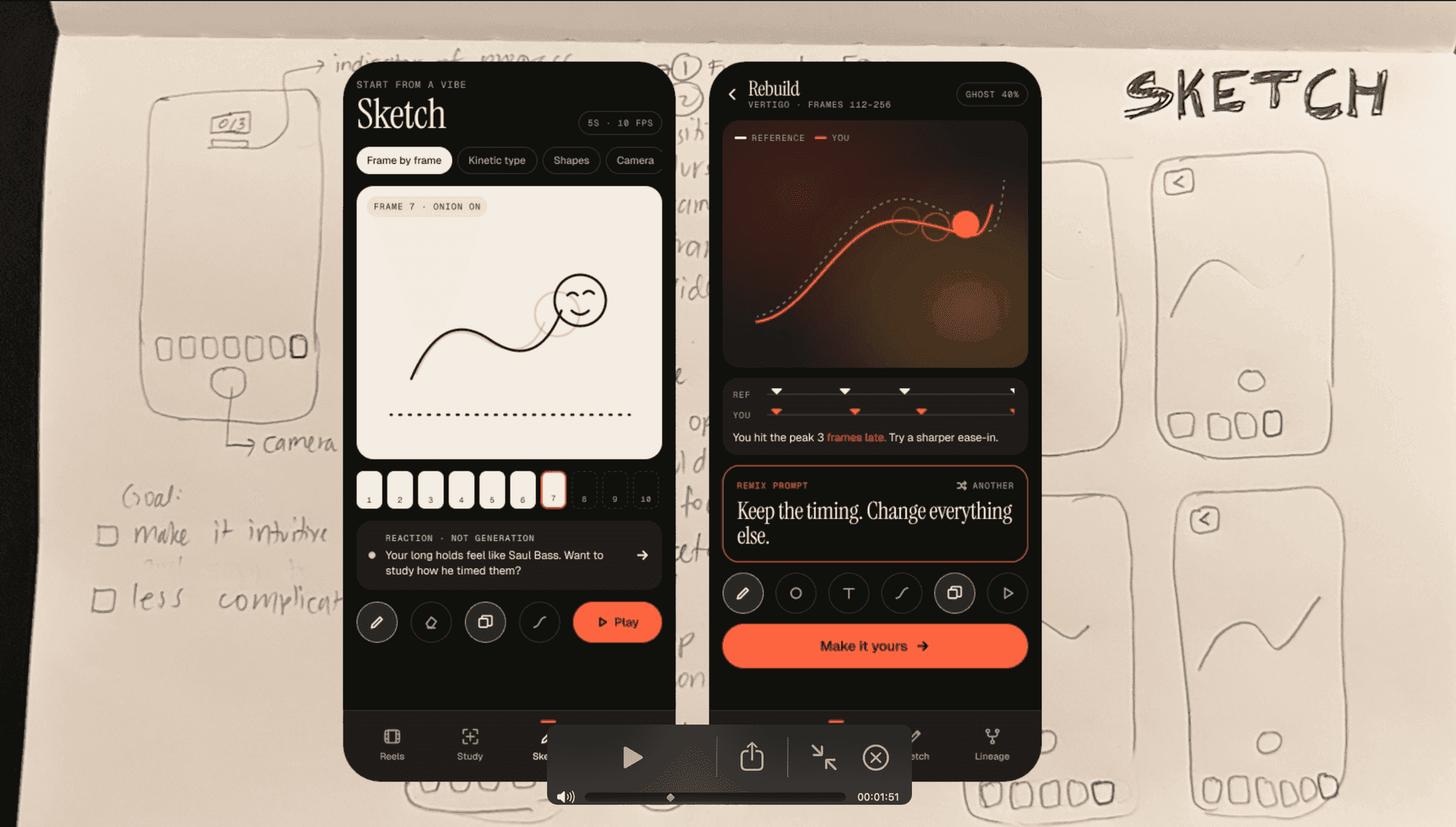
Sketch
Sketch the curve and rebuild it against the reference
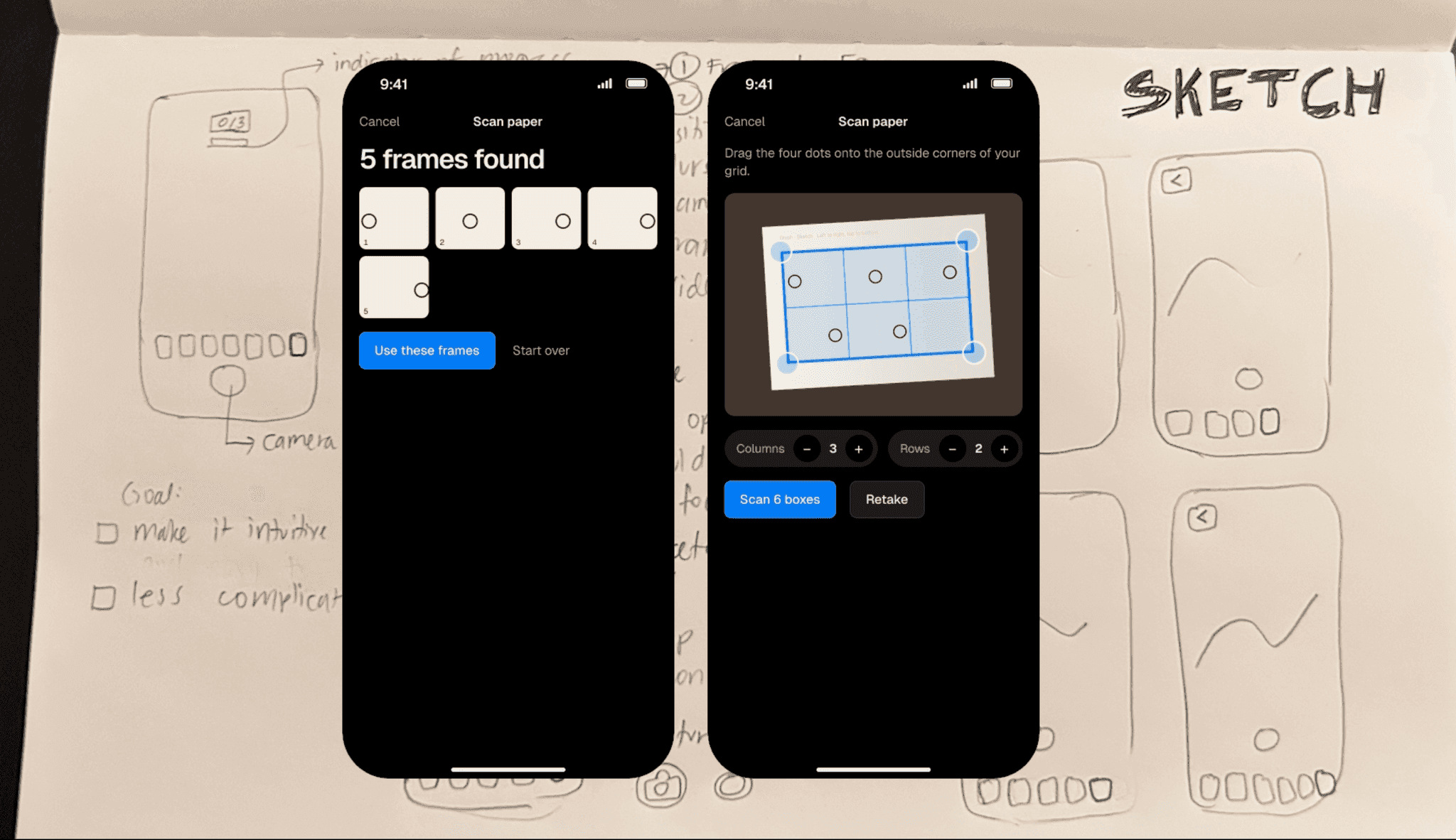
Scan
Scan paper sketches straight into frames
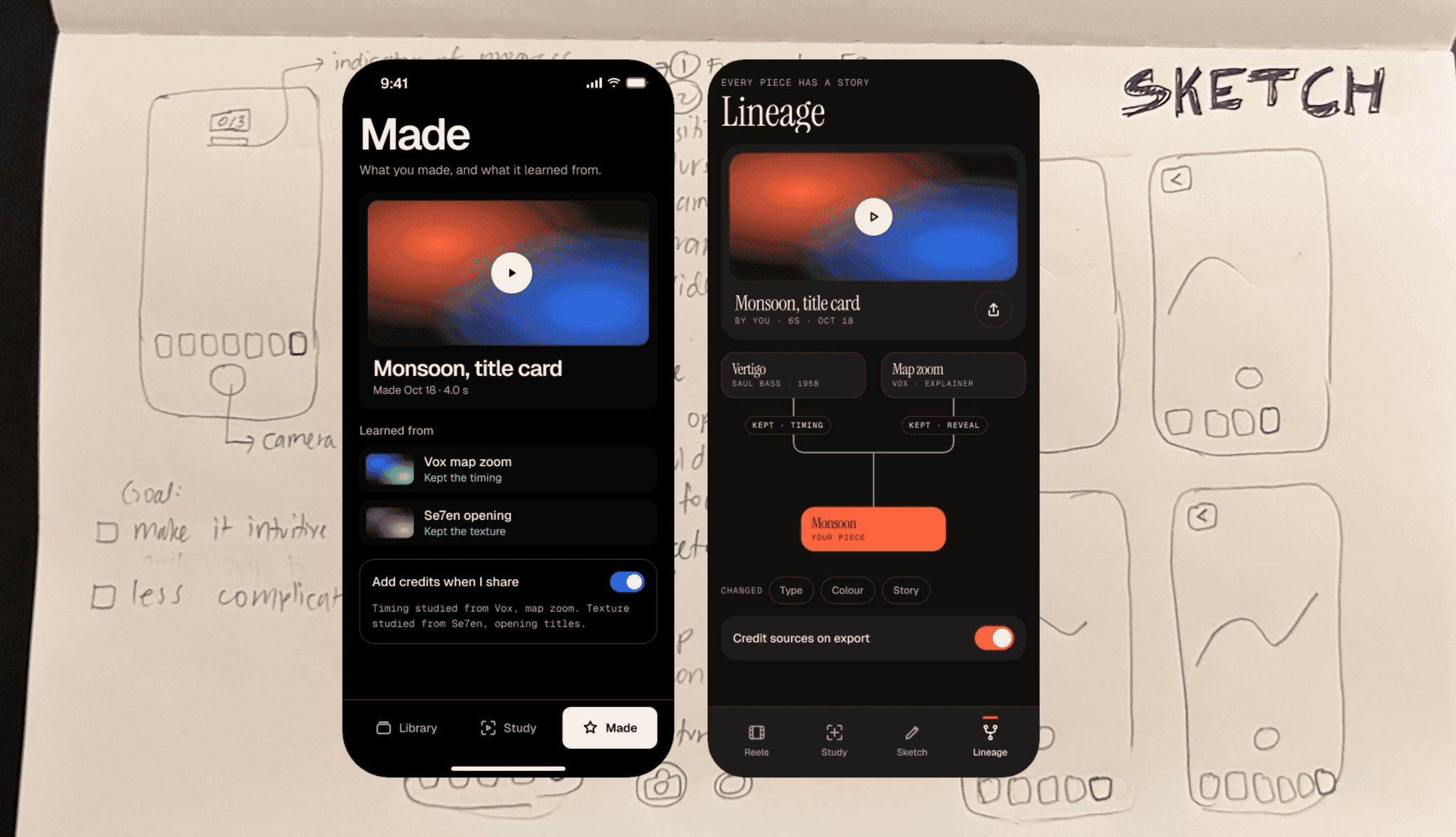
Made
Keep what you made and what it learned from
Pivot
Feedback: editing needs a bigger screen.
Testing the mobile flows showed people wanted room to edit, so the core experience moved to desktop.
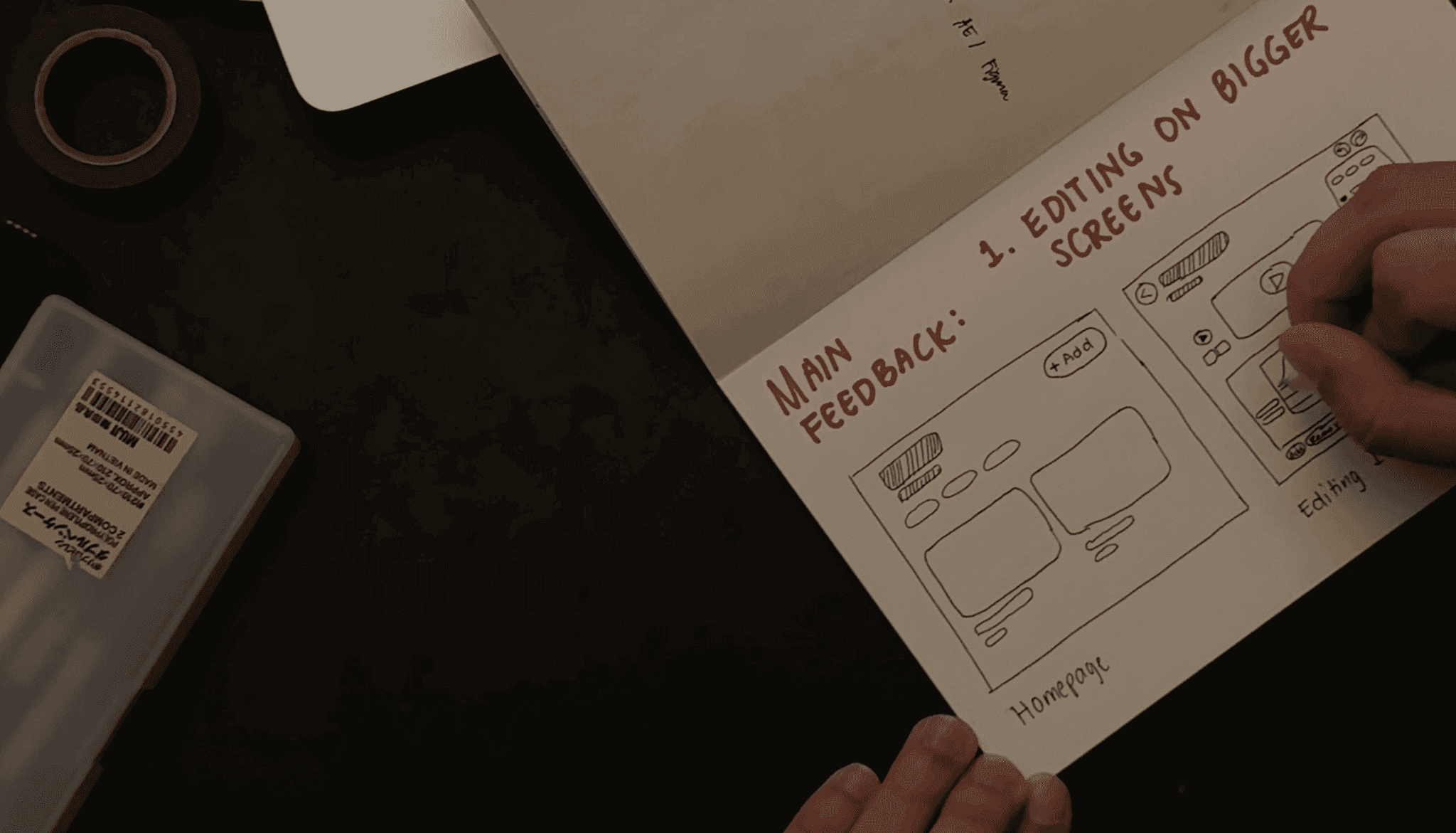
Desktop editor
Every animation, split into moments you can inspect.
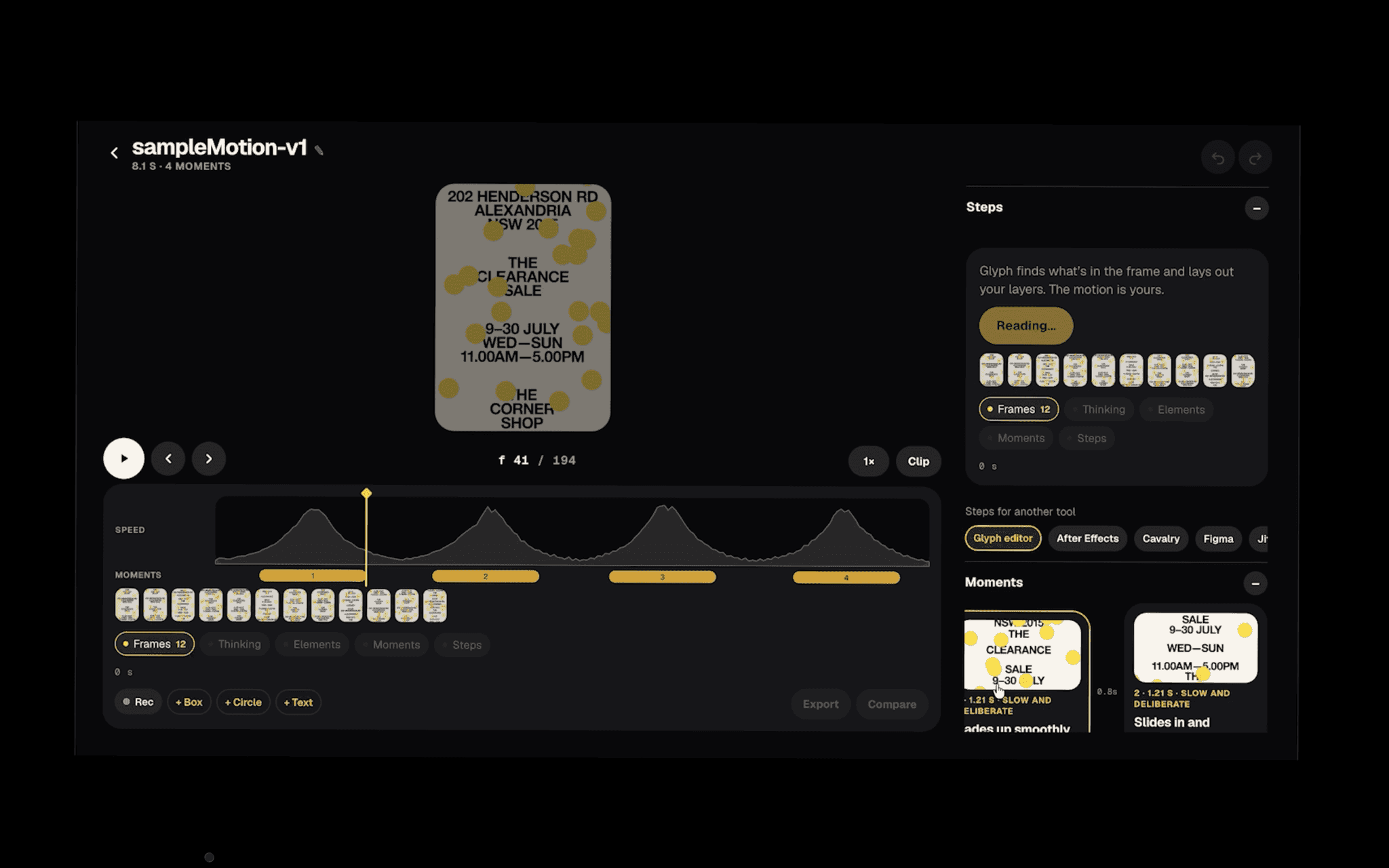
Timeline
Speed graph and moments for a reference clip
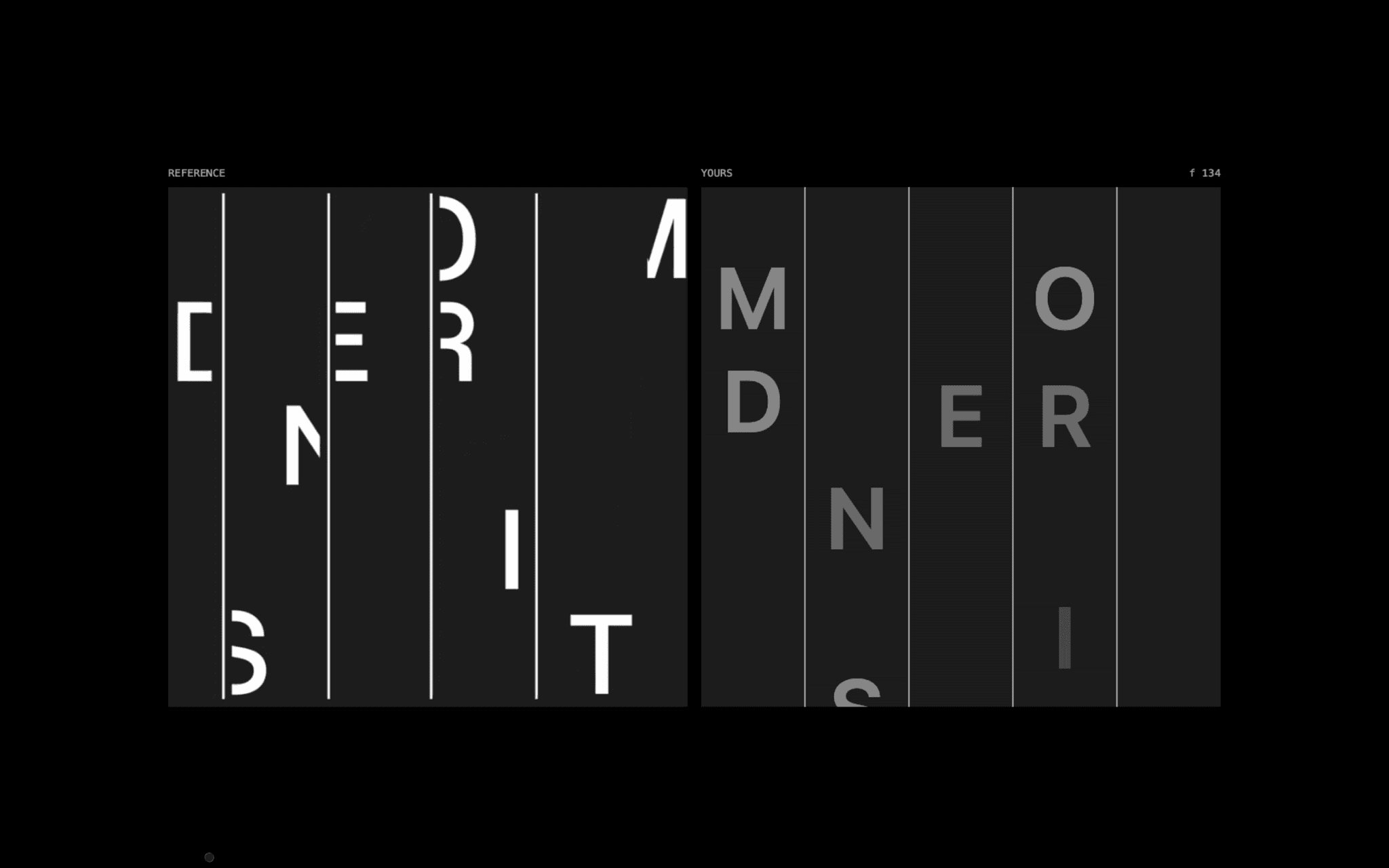
Compare
Reference and your version, side by side
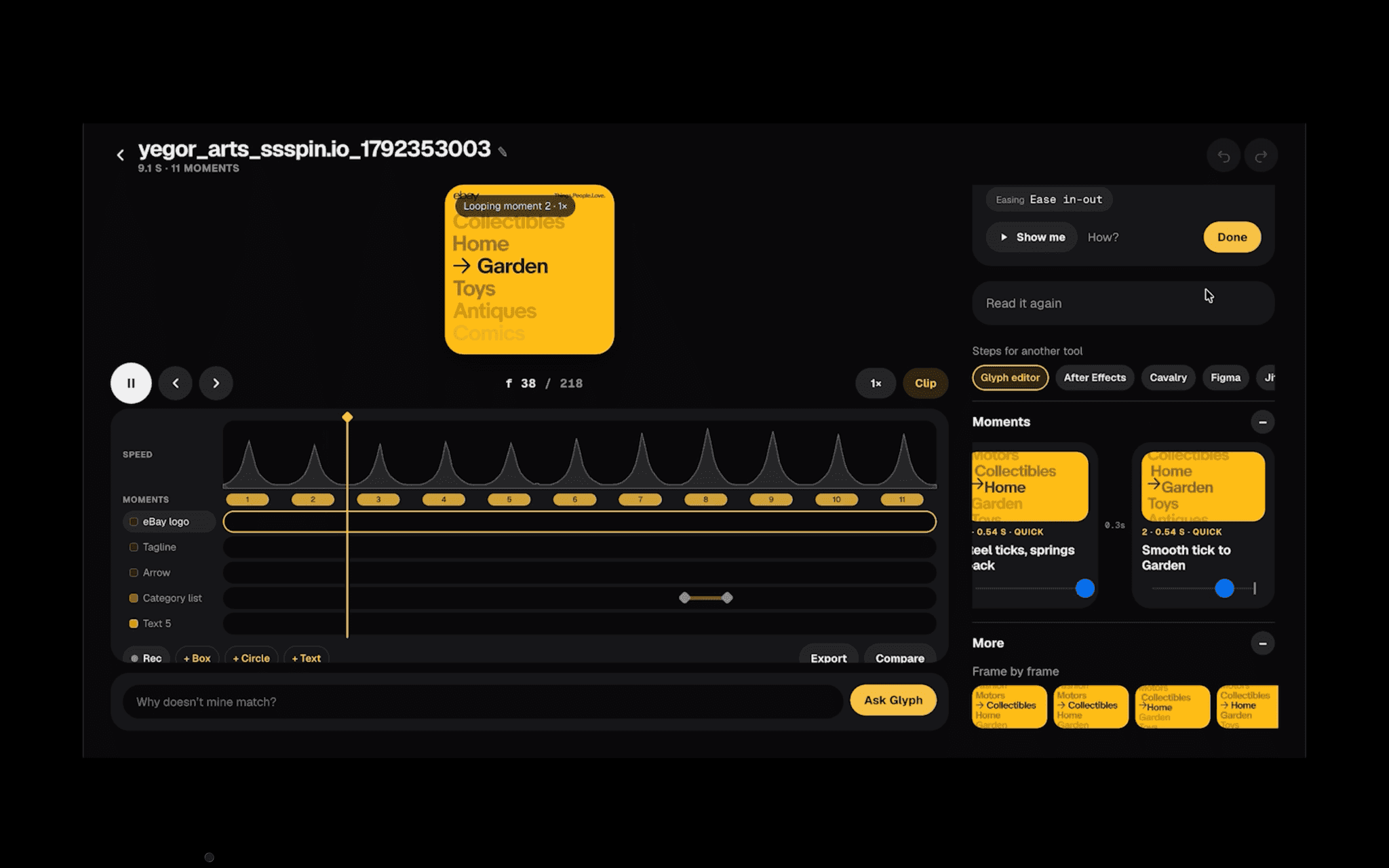
Easing
Each moment shows its timing and easing
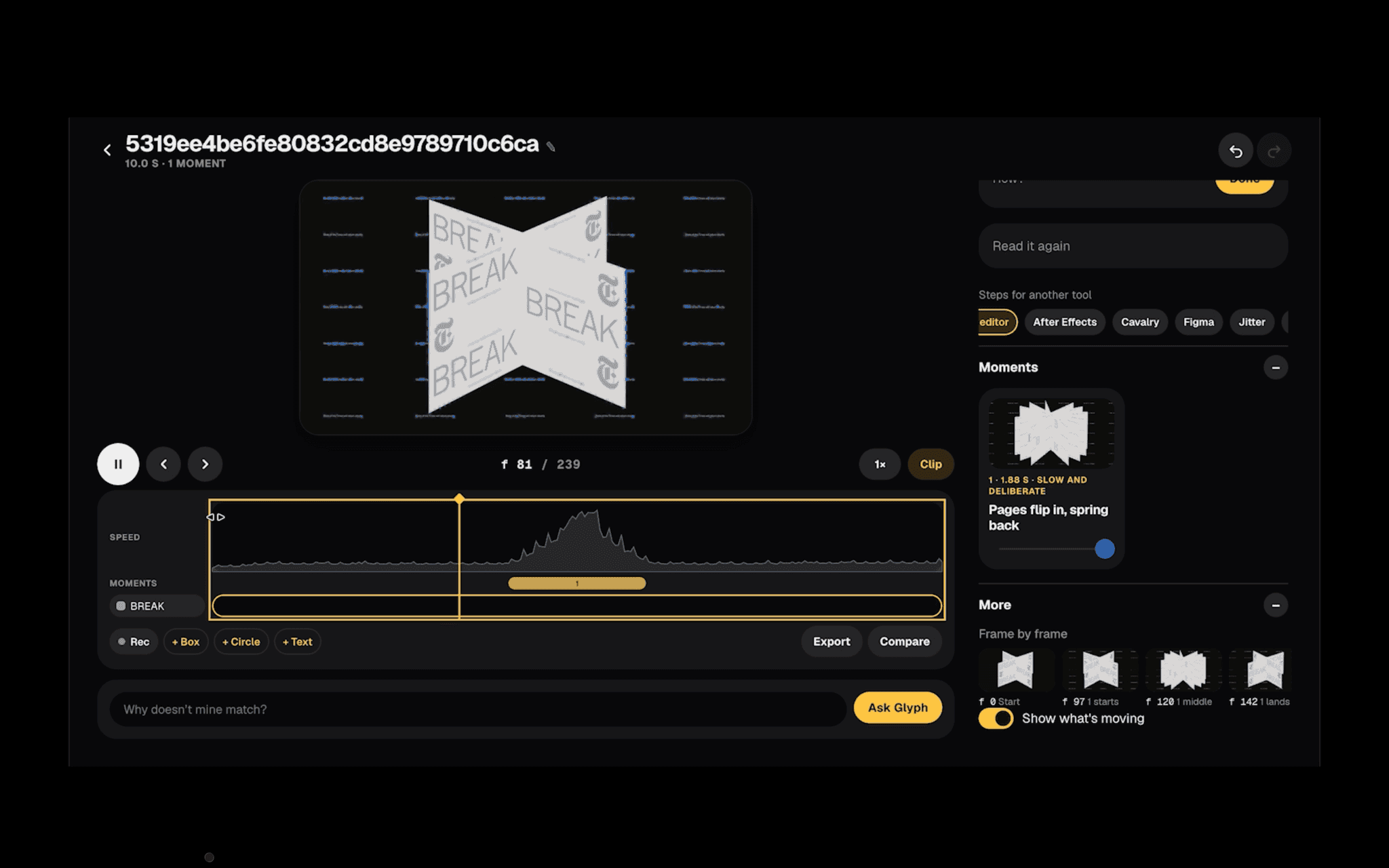
Frame by frame
Step through the motion one frame at a time
Next
SAP AI Design Pattern Library